How F1 Broadcast Tech Builds Multi-Angle Coverage
How camera placement, timing/telemetry sync, and live switching create multi-angle F1 race coverage and clear replays.
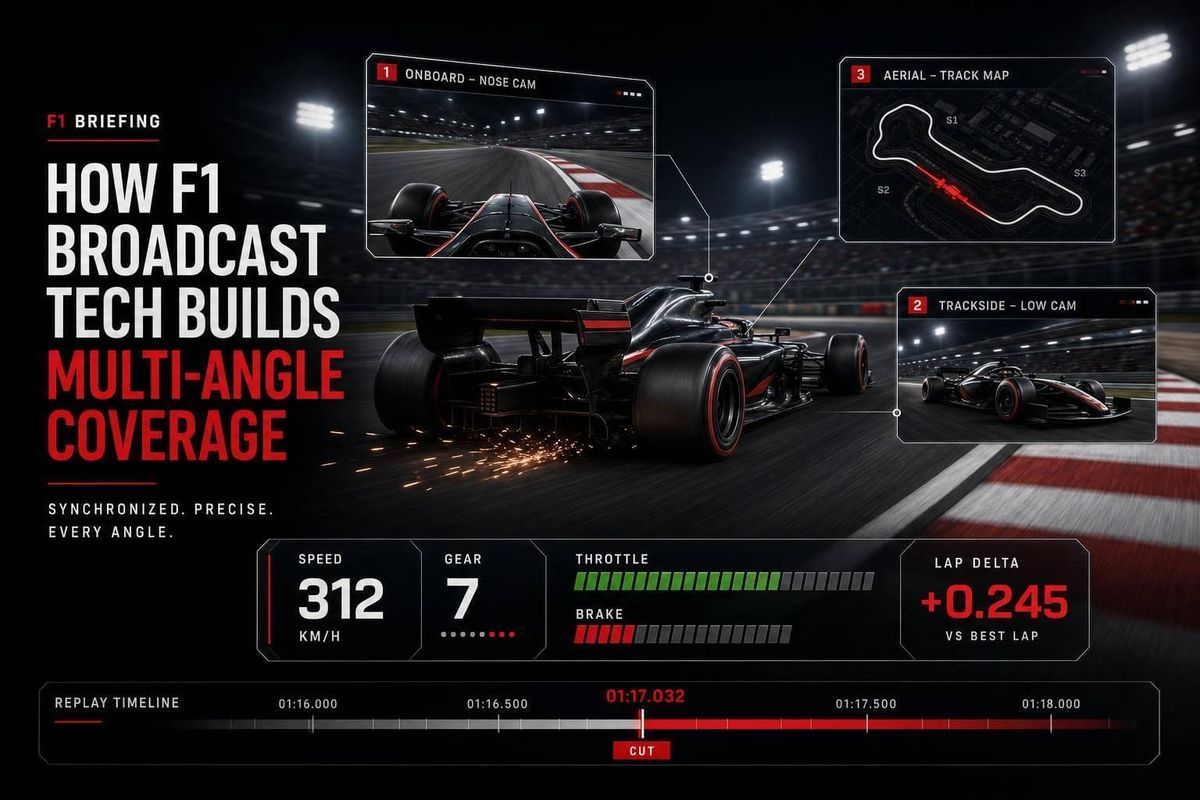
An F1 broadcast works because dozens of camera feeds and live race data stay aligned at the same time. I’d boil it down to this: the system puts 26–28 UHD trackside cameras, 10+ pit-lane cameras, a helicopter, and up to 9 cameras per car into one live program, then uses timing and replay tools to explain what just happened.
If you want the short answer, here it is:
- I see three parts doing the heavy lifting: camera placement, data sync, and live switching
- Each car has fixed camera positions, with at least 3 active, including the T-cam and nose
- Trackside cameras focus on braking zones, apexes, exits, pit entry, and pit exit
- Live timing tells the director which battle matters now
- Replays are built from multiple views, often starting wide and then cutting tighter to show contact or track position
What stands out to me is that F1 coverage is not just about showing speed. It is about showing the right angle at the right moment, then using synced labels, gaps, and replay cuts so you can follow the story without getting lost.
If you watch the next race, look for one simple pattern: plan the angles first, sync the data second, then cut and replay the action in order. That is the system in plain English.
Step 1: Build the Camera Network Across Cars and Circuit
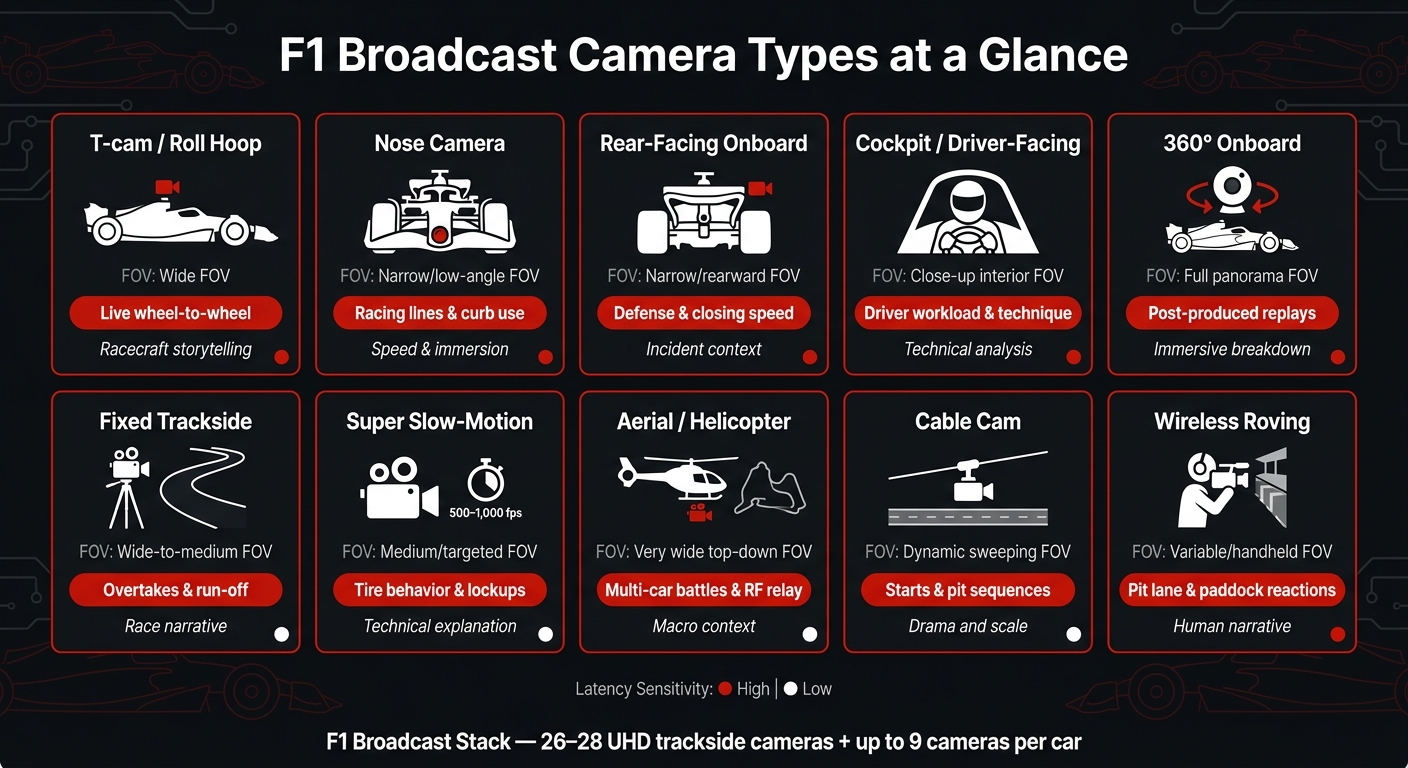
F1 Broadcast Camera Types: Field of View, Use Case & Storytelling Value
Before the lap even starts, the broadcast team maps out the camera network across the cars and the circuit. The goal is simple: make sure key moments are covered from more than one angle, so nothing important slips through.
Onboard Units: T-Cam, Nose, Rear, Cockpit, and 360 Views
FIA regulations allow eight camera positions on each car, with at least three active at all times, including the T-cam and nose. In practice, F1 can fit up to nine cameras per car, though not every position is used every race.
The T-cam is the main live angle. It gives viewers a clean look at steering inputs, car placement in traffic, and wheel-to-wheel fights. The nose camera makes racing lines and curb use easy to spot. Rear-facing cameras show how a driver defends and how fast another car is closing in. Cockpit and driver-facing cameras bring out the small details: steering corrections, switch changes, and those split-second reactions to oversteer. 360° cameras usually stay out of the live broadcast and show up later in post-produced incident breakdowns and immersive replays.
The T-cam unit weighs around 1.5 kg and houses two small cameras - one forward, one rearward - along with antennas for video transmission and telemetry.
Trackside and Aerial Cameras at Overtaking Zones and Pit Lane
FOM deploys 26–28 UHD trackside cameras, 10 or more pit lane cameras, a helicopter camera, and specialty cameras built into curbs or barriers. Heavy braking zones, apexes, corner exits, pit entry and exit, and run-off areas all get overlapping coverage. That way, if something happens, the production team can piece it together from several views.
Some cameras have very specific jobs:
- Super slow-motion cameras sit at chicanes, high-load corners, and heavy braking zones, recording tire deformation, lockups, flat spots, and wing flex at 500–1,000 fps.
- Cable cameras above the pit lane deliver sweeping shots of race starts, pit-stop sequences, and photo finishes.
- Wireless roving cameras follow mechanics, strategists, or sudden incidents as they happen.
- The helicopter gives the big-picture view of multi-car battles and also relays onboard RF signals.
At street circuits with little run-off, trackside camera placement gets tighter. In those cases, directors rely more on onboard feeds and fence-gap shots.
Comparison Table: What Each Camera Type Adds to the Broadcast
| Camera Type | Field of View | Best Use Case | Stability | Latency Sensitivity | Storytelling Value |
|---|---|---|---|---|---|
| T-cam / Roll Hoop | Wide, forward and rearward | Live wheel-to-wheel coverage | High | High | Racecraft |
| Nose | Narrow, low-angle | Racing lines, curb use | Moderate | High | Speed and immersion |
| Rear-facing onboard | Narrow, rearward | Defense, closing speed | Moderate | High | Incident context |
| Cockpit / Driver-facing | Close-up, interior | Driver workload, technique | Moderate | Moderate | Technical analysis |
| 360° onboard | Full panorama | Post-produced replays | Low | Low | Immersive breakdown |
| Fixed trackside | Variable, wide-medium | Overtakes, run-off coverage | Very high | High | Race narrative |
| Super slow-motion | Medium, targeted | Tire behavior, lockups | Very high | Low | Technical explanation |
| Aerial / Helicopter | Very wide, top-down | Multi-car battles, RF relay | Moderate | Moderate | Macro context |
| Cable cam | Dynamic, sweeping | Starts, pit sequences | High | Moderate | Drama and scale |
| Wireless roving | Variable, handheld | Pit lane, paddock reactions | Low | Moderate | Human narrative |
With the camera network set, the next layer is syncing those feeds with timing and telemetry so the director can pick the right shot on the spot.
sbb-itb-7c68254
Step 2: Sync Video With Timing, Telemetry, and Graphics
A camera feed only helps when the director knows which car is on screen, where it runs in the order, and what’s happening around it right now. That’s the point where separate onboard and trackside cameras become one broadcast system.
Transponders, timing loops, GPS/position feeds, and sector data are synced so the broadcast system can track the live race order and gaps in real time. Without that layer, a director looking at several feeds at once has no solid way to tell whether the car filling the frame is in a fight or just running alone.
How Directors Use Data to Choose the Next Shot
The timing feed tells the director which battle matters now, not just which car happens to be visible. Pre-race shot plans lay out the main angles, but live timing shows directors when to stick to the plan and when to leave it to follow the race. That same timing layer also keeps graphics tied to the correct car and gets the feed ready for replay use.
Graphics and Multi-View Synchronization
Graphics and onboard telemetry need to stay lined up with the live video so the right data stays attached to the right car. If the label, gap, and camera angle drift out of sync, the incident loses its meaning. Modern transmission systems move high-resolution footage fast enough to keep live analysis and replays near real time.
Once video and data stay locked together, the director can cut the live race and build replays without losing context.
Step 3: Switch the Race Live and Build Replays
Once the timing data and camera feeds line up, the director can cut the race live without losing track of what's happening.
Live Switching Logic During Green-Flag Racing
With those feeds in sync, the director can stick to the race plan until the running order shifts. Operators sit at set camera points around the circuit, which lets the broadcast show the key angles while also keeping an eye on more than just the leaders. That includes pit lane activity and reactions in the garage.
When a battle starts or an incident unfolds, the director moves off the plan and follows the action. That choice in the moment decides which angles are ready if the incident needs to go to replay.
Replay Servers and Multi-Angle Incident Reconstruction
F1 event cameras shoot at rates above 30 frames per second. That gives replay teams enough detail to slow the footage without losing the frames that matter most.
Lennon puts it like this:
"I'm always reluctant to turn the frame rate down, as there'll never be time to turn it up again when you need it for an accident or incident."
Replays aren't archival clips. They're live editorial tools. The job is to rebuild the sequence of the race, matching shots from different camera positions so viewers can see the order of events when the action is too fast to read from one angle alone. The next cut can matter just as much as the first, because the replay sequence shapes the explanation.
How Shot Order Shapes the Explanation of an Incident
Shot order matters. A good replay usually starts with the clearest wide angle, then cuts tighter to the frames that show contact, car position, or track limits.
In modern F1, cornering speeds are higher and downforce can lead to odd-looking crashes. So the way the replay is cut is often what makes the contact readable at all.
Conclusion: Why F1's Broadcast Stack Works as a Storytelling System
Put it all together, and the camera network, timing sync, and replay system answer one core question: what happened, and why does it matter? None of it works on its own. Coverage is planned ahead of time, cameras are placed so there’s enough detail to piece together an incident, and big moments get to the production team fast.
The setup is decided before the race so every angle and each client need is covered. The tech gives the team choices. The director turns those choices into the story. That editorial job is what completes the system - synchronized feeds and replay sequencing don’t just show incidents, they help explain them.
Key Points to Watch for in the Next Race Broadcast
In the next broadcast, pay attention to how this system shows itself in real time.
Look for the pre-planned angles across the grid, pit lane, parc fermé, and podium, plus the special positions that catch moments trackside cameras can’t see. During replays, notice how the broadcast often moves from a wider view to a tighter one. That sequence helps show where an incident began and what changed on track. And when the coverage switches between battles, that shift comes from the race plan - not luck.
For deeper behind-the-scenes analysis, see F1 Briefing.
FAQs
Why are some onboard cameras used more than others?
Some onboard cameras get used more often because they give the clearest view when the action matters most. Directors lean toward angles that help shape the live broadcast, while teams use the same footage to compare driver feedback with telemetry and see how the track looks in the moment.
In practice, cameras that show the driver’s view or the track surface usually get priority because they offer the clearest tactical read.
How does the broadcast stay synced during fast race incidents?
Formula 1 keeps the broadcast in sync with precision timing and fast data links. GPS clocks and Precision Time Protocol line up telemetry, video, and other signals so split-second incidents match across each feed.
A layered network of fiber optics, microwave, 5G, and satellite links carries that data. Buffering and onboard error checks help stop delays or damaged signals. Public TV can be a little behind, but team telemetry and camera feeds stay close to real time.
Why do replays often start wide, then cut tighter?
Replays often start with a wide shot so viewers can see the full scene around an incident. That includes which cars were involved and where they sat in relation to the rest of the field.
Once that setup is clear, the director usually cuts to a tighter angle to show the key moment up close. That might be a small steering correction, tire flex, or the exact instant of contact. The wider view shows the situation. The tighter shot shows the detail behind it.